Example
DeepBass808 example
DeepBass808 shows the kind of low-end instrument Studio 56 can produce when the goal is a focused 808-style bass synth with weight, punch, and playable presets.
This page is built to make the output legible quickly, with a clearer sound brief, output summary, and proof screenshot.
Sound brief
The user wants a low-end instrument with a clear role: heavy bass, fast usability, and enough control to sketch songs without patch diving.
Brief
Build me an 808-focused bass synth with ladder-filter weight, saturated low-end punch, and a playable preset bank for trap and bass-heavy production.
What Studio 56 produced
The output is framed as a dedicated bass instrument rather than a generic preset. The current public path is a standalone Mac synth first, with VST3 export available on Pro.
- Standalone Mac synth on Free
- VST3 export available on Pro
- Preset-led low-end workflow built for one job
Proof assets
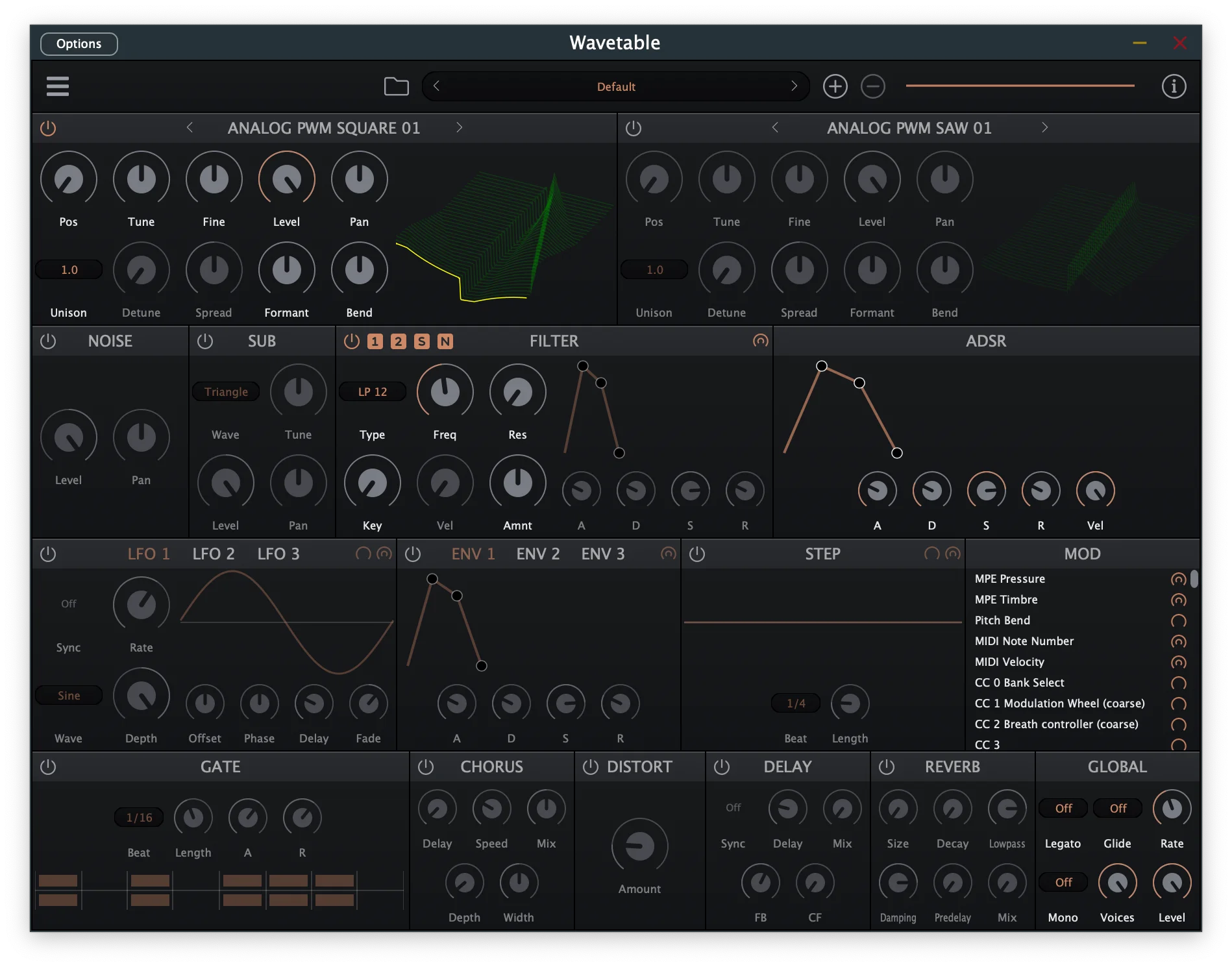
Finished interface direction for the DeepBass808 proof page.
What this example is trying to do
A useful example page should make the brief and the resulting shape obvious.
Sound brief
808-focused bass instrument
A brief in this family would ask for ladder-filter weight, saturated low-end punch, and a playable factory bank.
What came out
A standalone Mac synth with presets
DeepBass808 is presented as a standalone Mac download with a low-end focused identity and a preset bank built around that role.
What this page can say clearly today
This section is the factual core of the example page as it exists now.
- Brief family: 808-style bass instrument with punch, weight, and playable low-end focus.
- Current public delivery: standalone Mac synth on Free, with VST3 export available through the main Studio 56 Pro workflow.
- Platform scope: macOS 12+ on Apple silicon.
Where this kind of build fits
The value is easiest to see when the use case is concrete.
- Trap and bass-heavy ideas
- Simple low-end writing with a dedicated instrument
- Sketching and testing bass concepts quickly on Mac
What to layer onto this example next
The next version of this page should make the output easier to verify at a glance.
- A screenshot of the instrument interface
- A short audio demo of the low-end character
- A clearer summary of the most important controls
What this page does and does not prove
This example page explains the concept and output shape. The screenshot is live now, and the next layer to add later is richer media like audio.
- This is still a narrow proof page, not a full feature demonstration of every possible bass outcome.
- The public workflow is still Mac-first.
- Use Pro if you want VST3 export from the main Studio 56 workflow.
Keep exploring
Follow the closest product, comparison, and proof pages from here.
See Studio 56 for beatmakers
This is the closest audience page when the job is bass, hooks, and beat-driven sound design.
Open beatmakers pageCompare preset packs vs custom plugin
Use this comparison if you are deciding between browsing more presets and building one bass instrument around a brief.
Open comparisonGet Studio 56 for Mac
Move from the example page into the actual Mac beta workflow.
Get Studio 56 for Mac